
Find the project. Know what to do next.
PermitScout.com turns public project and permit activity into a focused pipeline, so you can find relevant work, identify who may be involved, and start a useful conversation.
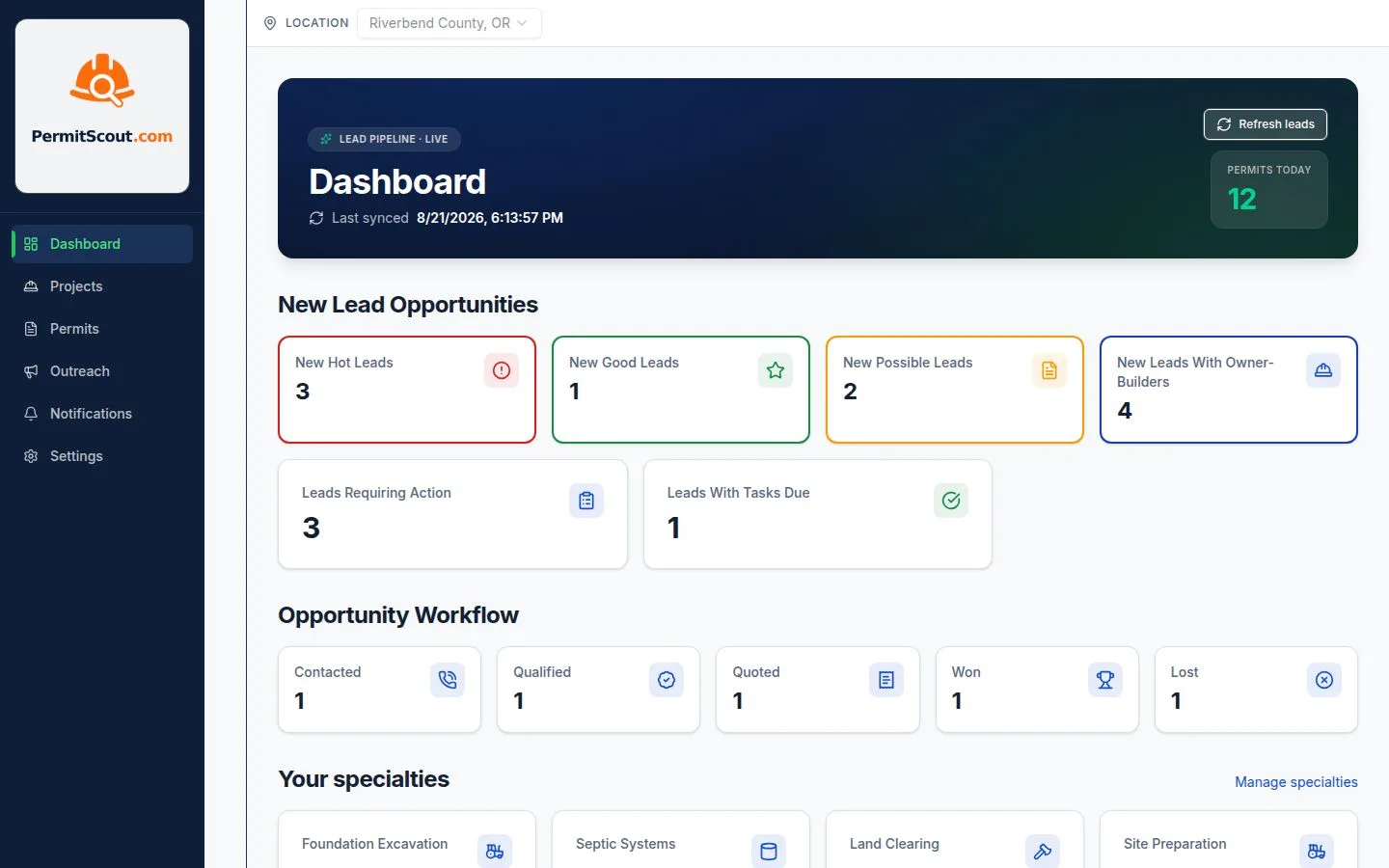
- Prioritized Hot, Good, and Possible opportunities
- Owner and contractor contact research
- Project summaries and prepared outreach
- Pipeline activity and follow-up for your team
Find Opportunities in Your Market
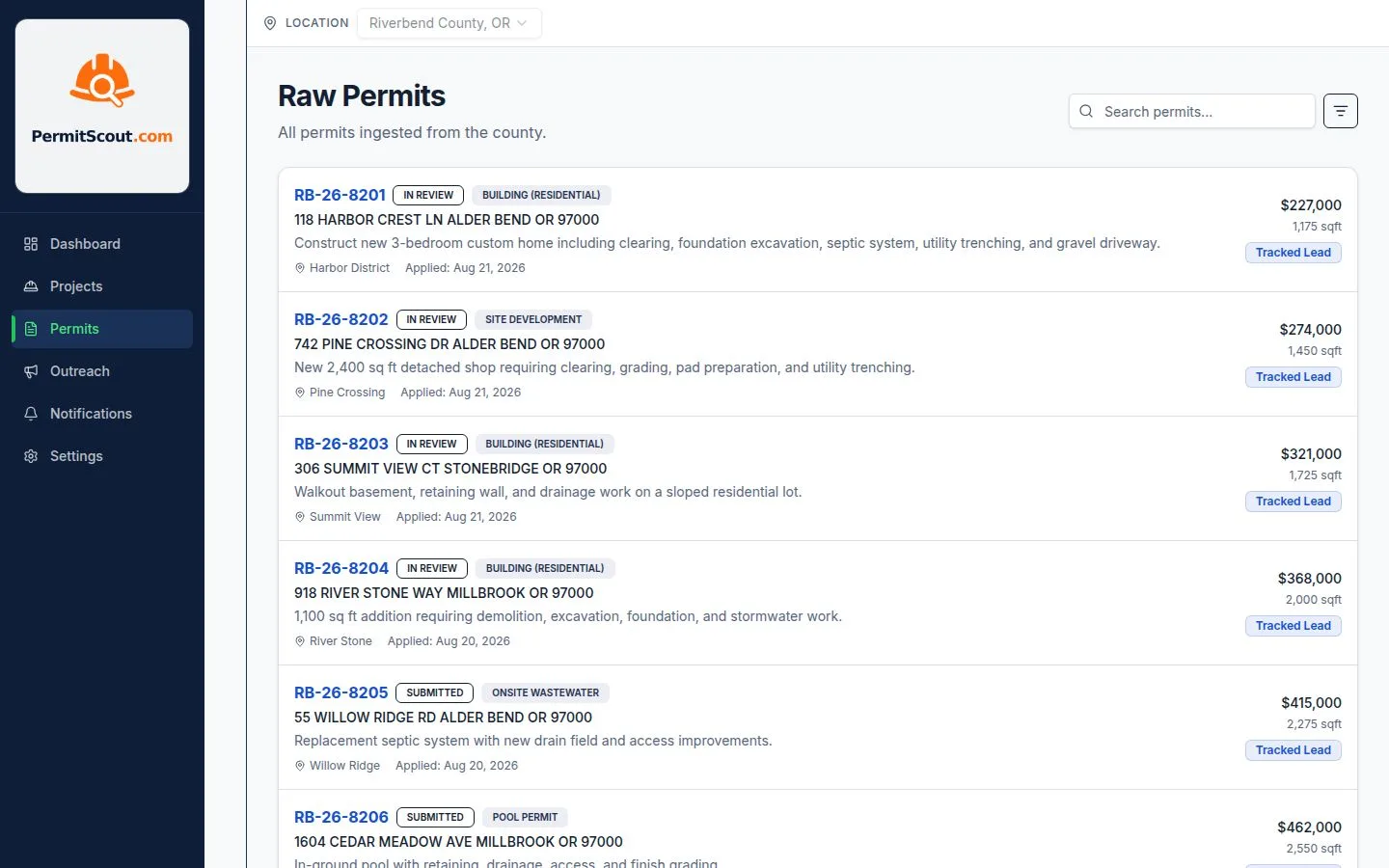
Homeowners, builders, and businesses create public signals when they plan pools, additions, new builds, and other permitted work. PermitScout.com monitors supported county and city systems and organizes those records into project opportunities you can review.
- Frequent monitoring of supported local permit portals
- Address, owner, and contractor details extracted when available
- Related permits grouped into project opportunities by address and parcel
Know What Deserves Your Attention
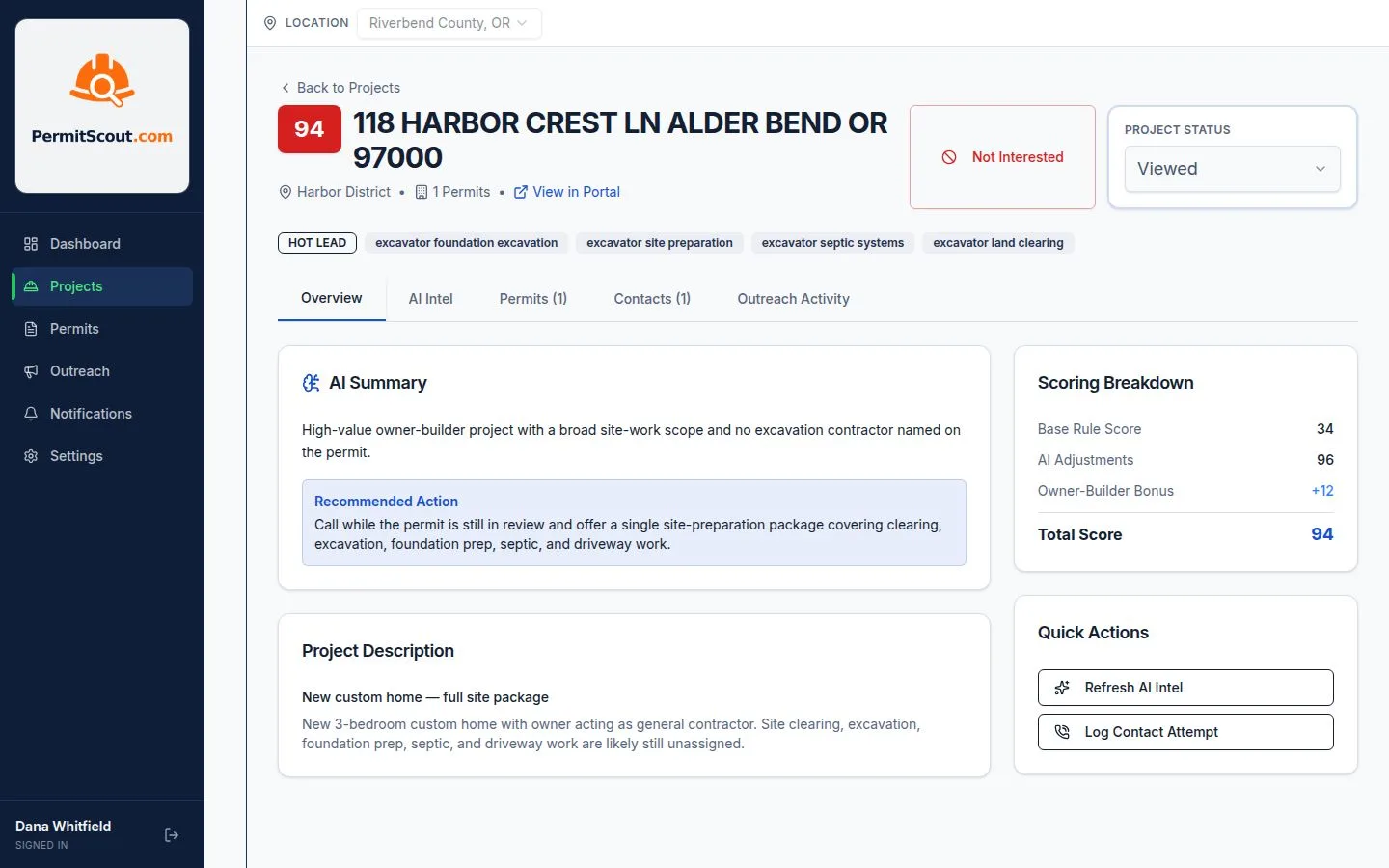
Not every permit points to work that fits your business. PermitScout uses rules and AI to compare project details with your selected business categories, assign an opportunity score, and explain why the project may matter to you.
- Opportunity scoring tuned to your selected specialties
- Owner-builder identification when the owner is acting as the general contractor
- Hot, Good, and Possible tiers to help you decide where to focus first
Keep the Pipeline Moving
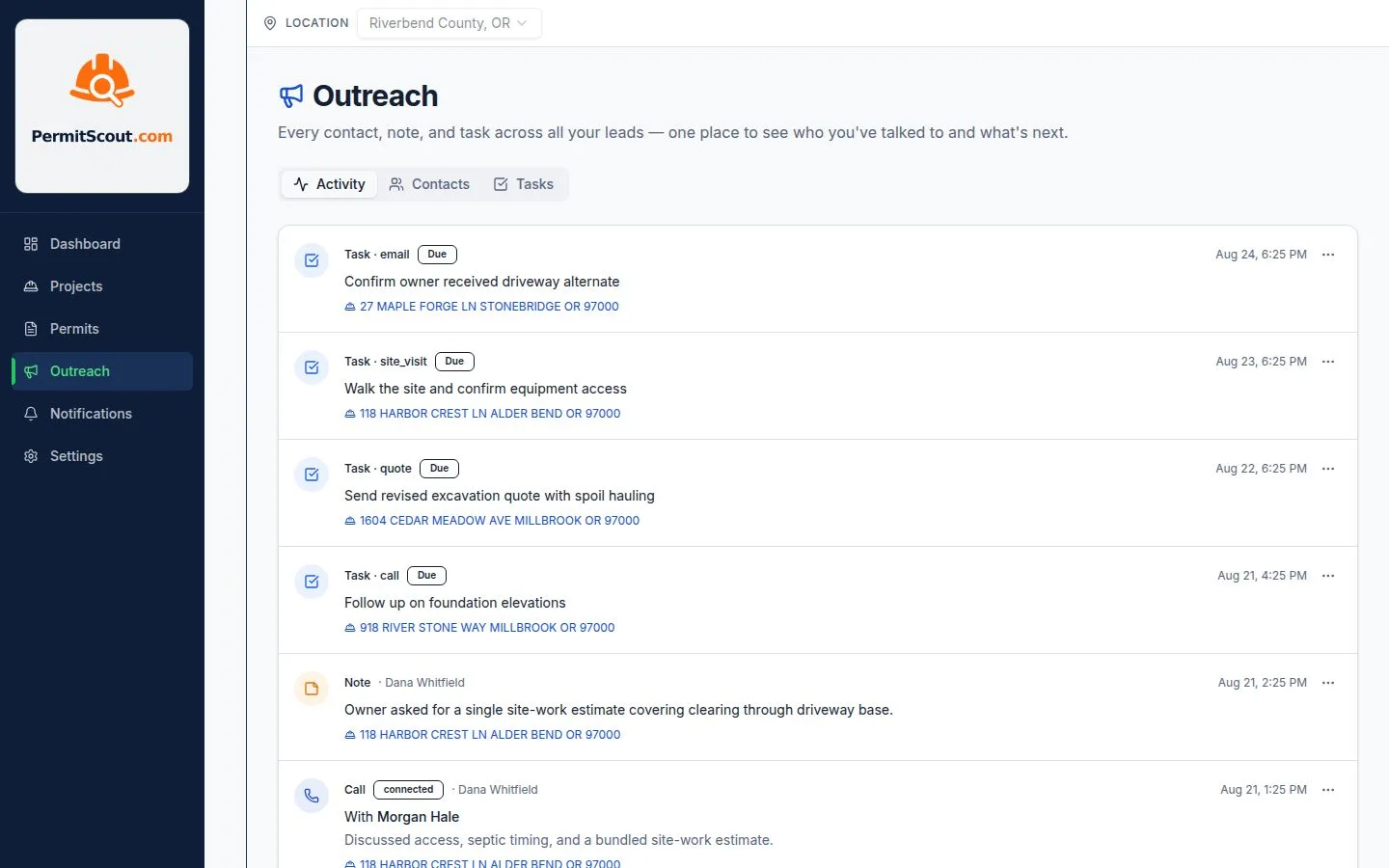
Turn a promising project into a clear next step. Move opportunities from New to Won, log each contact, assign follow-up, and review the full activity history in the built-in CRM.
- A full pipeline with New, Viewed, Contacted, Qualified, Quoted, Won, and Lost stages, plus one-click "not interested"
- Log calls, voicemails, emails, texts, site visits, and meetings with their outcomes
- Assign tasks and due dates, with due-today reminders and overdue tracking
- A project timeline for notes, calls, tasks, and status changes
- A company activity feed and task board for work across every opportunity
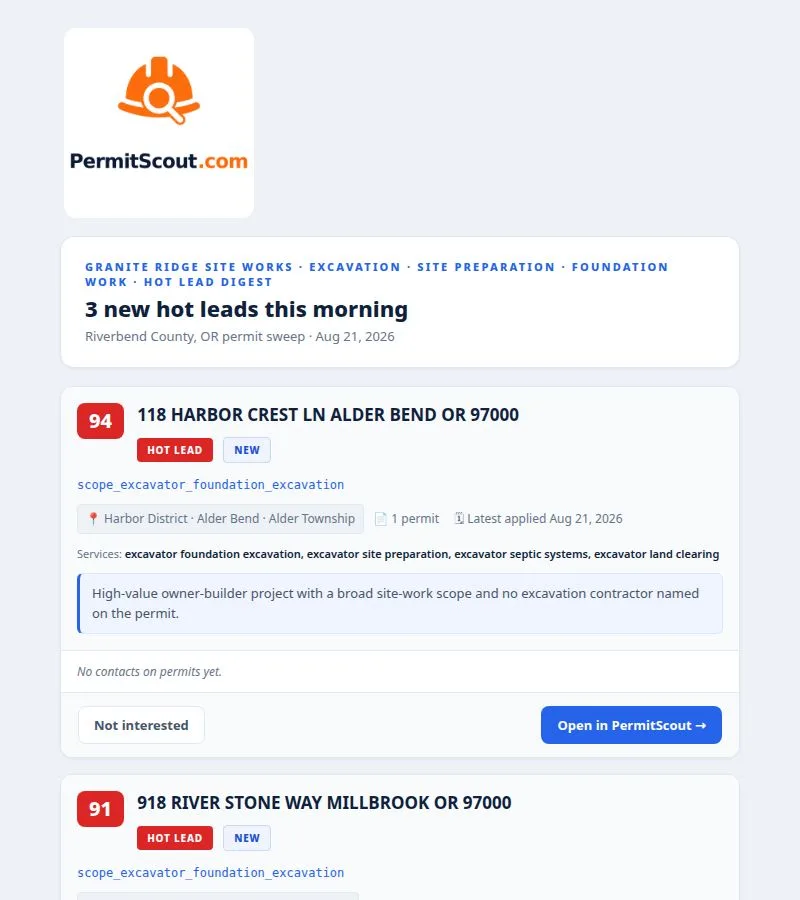
Act on Priority Opportunities
You have work to run, so PermitScout sends a concise email after each sync with the highest-scoring new opportunities in your market. Review contact details, open a project, or mark it "Not interested" from your phone.
- Sent automatically after each sync
- Contact info formatted for one-tap calling
- Only top-scoring opportunities that match your criteria
- One-tap "Not interested" from the field, with no login required
Move from Project Signal to Next Step
Find opportunities, understand the project, reach out, and manage follow-up.
Identify Who to Contact
PermitScout researches owner and contractor phone, email, and website details from multiple sources, then adds them to project opportunities when available.
Start the Conversation
Prepare with call scripts, email drafts, and text message drafts based on the project's scope and your business, so you have a relevant reason to reach out.
Know What Matters
Use saved views and Hot, Good, or Possible opportunity tiers to focus on owner-builders, follow-ups due, and projects that fit your work.
Find Opportunities
Set up to four sweeps a day. PermitScout checks public project and permit activity in your market and alerts you when a new opportunity meets your criteria.
Make a Quick Decision
Mark an opportunity "not interested" or open it in the app from your priority-opportunity email. Your crew can triage from the field without logging in.
Keep the Pipeline Moving
Give admins, office managers, salespeople, and field teams the right access to work opportunities, manage settings, and coordinate next steps.